Precision You Can Trust
NABL-Accredited Calibration | Available on Request
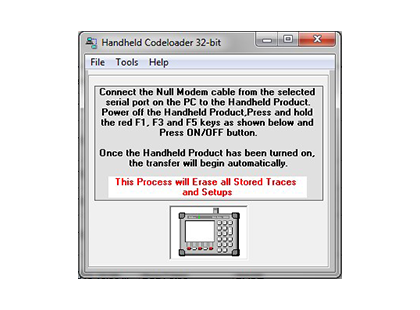
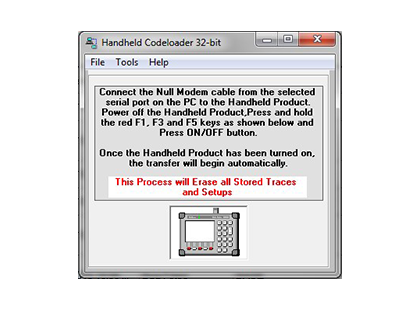
Handheld Code Loader (HHCL) is Anritsu’s official utility for updating the firmware on handheld instruments. It provides users with a streamlined method to keep their analyzers up to date, ensuring compatibility, new features, and enhanced performance based on the instrument model and firmware version..
The Handheld Code Loader (HHCL) is a crucial tool provided by Anritsu for managing firmware updates across its wide range of handheld instruments. Whether you're using a Site Master, Spectrum Master, or Cell Master, staying current with firmware is vital for unlocking new features, maintaining compatibility, and resolving known issues.
There are three primary methods for updating firmware, depending on your specific model. Some models are firmware version dependent, so it’s essential to identify your current version before proceeding. This prevents update mismatches and ensures the correct software is applied.
To check the firmware version:
Power on the instrument and observe the splash screen.
Alternatively, press Shift + System (Key 8) → Status, where the "Package Version" will display your current firmware.
HHCL supports products across several categories:
Cable Mate
Cell Master
Site Master
Spectrum Master
UMTS Master
By using HHCL, users can quickly and safely update instruments in the field or lab without sending them in for service. This saves time and ensures continued accuracy and reliability in measurements.
Three firmware update methods available, model-dependent
Supports Cable Mate, Cell Master, Site Master, Spectrum Master, and UMTS Master
Simple interface to detect and manage firmware version updates
Splash screen or system menu access to check firmware version
Prevents mismatched updates with firmware version validation
Improves instrument functionality and feature support
Essential for users maintaining legacy and current handheld models
Compatible with Windows PCs for update execution
Guides available for safe and accurate update process
Reduces field service downtime through up-to-date instrumentation
| Parameter | Details |
|---|---|
| Primary Function | Firmware update utility for Anritsu handheld instruments |
| Supported Families | Cable Mate, Cell Master, Site Master, Spectrum Master, UMTS Master |
| Version Check | Splash screen or via Shift + System (Key 8) → Status |
| Update Methods | Three update methods; dependent on model and version |
| OS Compatibility | Windows-based PC/laptop for firmware loading |
| Safety Features | Version compatibility check to prevent errors |
| Application Type | Maintenance and upgrade |
| Ideal Users | Field technicians, engineers, service providers |
| Documentation Available | Yes – per instrument model on Anritsu’s support site |