Precision You Can Trust
NABL-Accredited Calibration | Available on Request
Enable advanced signal analysis and real-time waveform processing by integrating your Cleverscope oscilloscope with MATLAB using custom .m functions..
The Cleverscope MATLAB Integration Module allows users to link their Cleverscope oscilloscope to MATLAB, unlocking powerful features for signal analysis, custom visualization, and data manipulation.
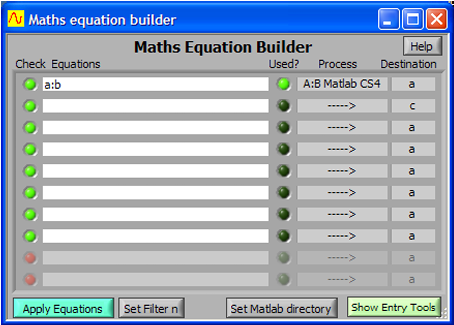
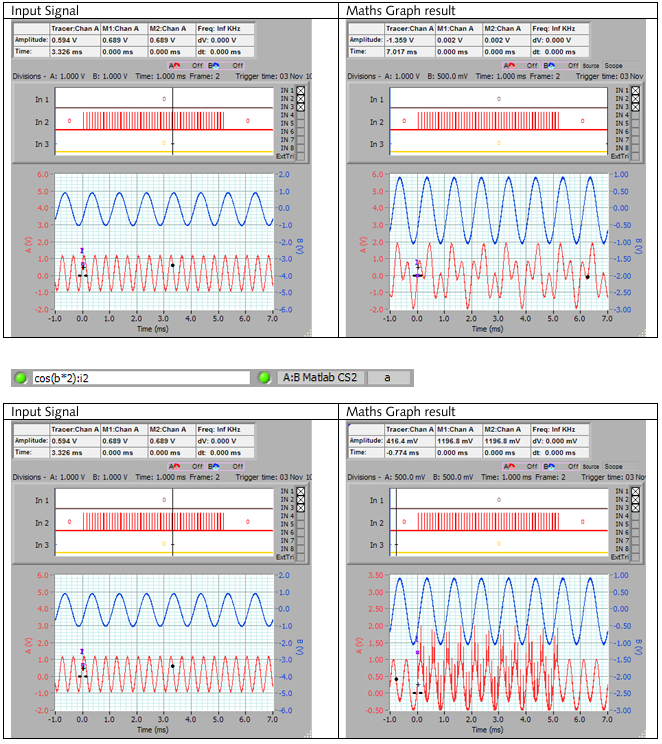
Using the built-in Maths Equation Builder, users can define up to 10 linked equations that are executed every time a signal is acquired. Additionally, Cleverscope supports four dedicated processes (cscope1.m to cscope4.m) that call external MATLAB functions for extended functionality.
Each function receives signal arrays, sample intervals, and time data — making it ideal for:
Digital signal processing (DSP)
Custom filter applications
Frequency and time domain analysis
Live plotting and automation tasks
The system ensures minimal delay after the first execution by caching the MATLAB functions, while also providing robust configuration options through its GUI.
Seamless integration of Cleverscope with MATLAB for extended analytics
Supports up to 4 custom MATLAB processes via .m script calls
Real-time execution of user-defined mathematical models
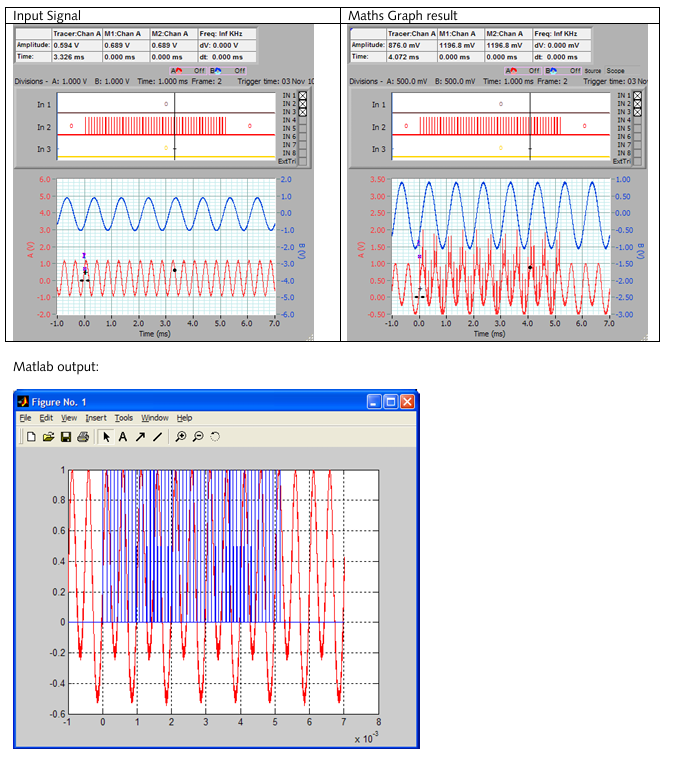
Graphical plotting, spectrograms, and post-processing through MATLAB
Easy setup with directory linking and internal caching system
| Parameter | Details |
|---|---|
| Product Type | Software Integration Module |
| Compatible Environment | Cleverscope PC-based Oscilloscope + MATLAB |
| Supported MATLAB Files | cscope1.m, cscope2.m, cscope3.m, cscope4.m |
| Input Data | Analog/Digital Signal Arrays from Cleverscope |
| Function Header Format | function y = cscope(a,b,n,T0,dt) |
| MATLAB Interaction | Bidirectional: Send waveforms & receive results |
| Maximum Equations | 10 linked equations via Maths Equation Builder |
| Initial Execution Delay | Yes (due to MATLAB startup) |
| Plotting Support | Full MATLAB figure and graphing capabilities |
| Caching Behavior | MATLAB files cached after first run |
| Support for UI in MATLAB | Yes (e.g., plotting, interface actions) |